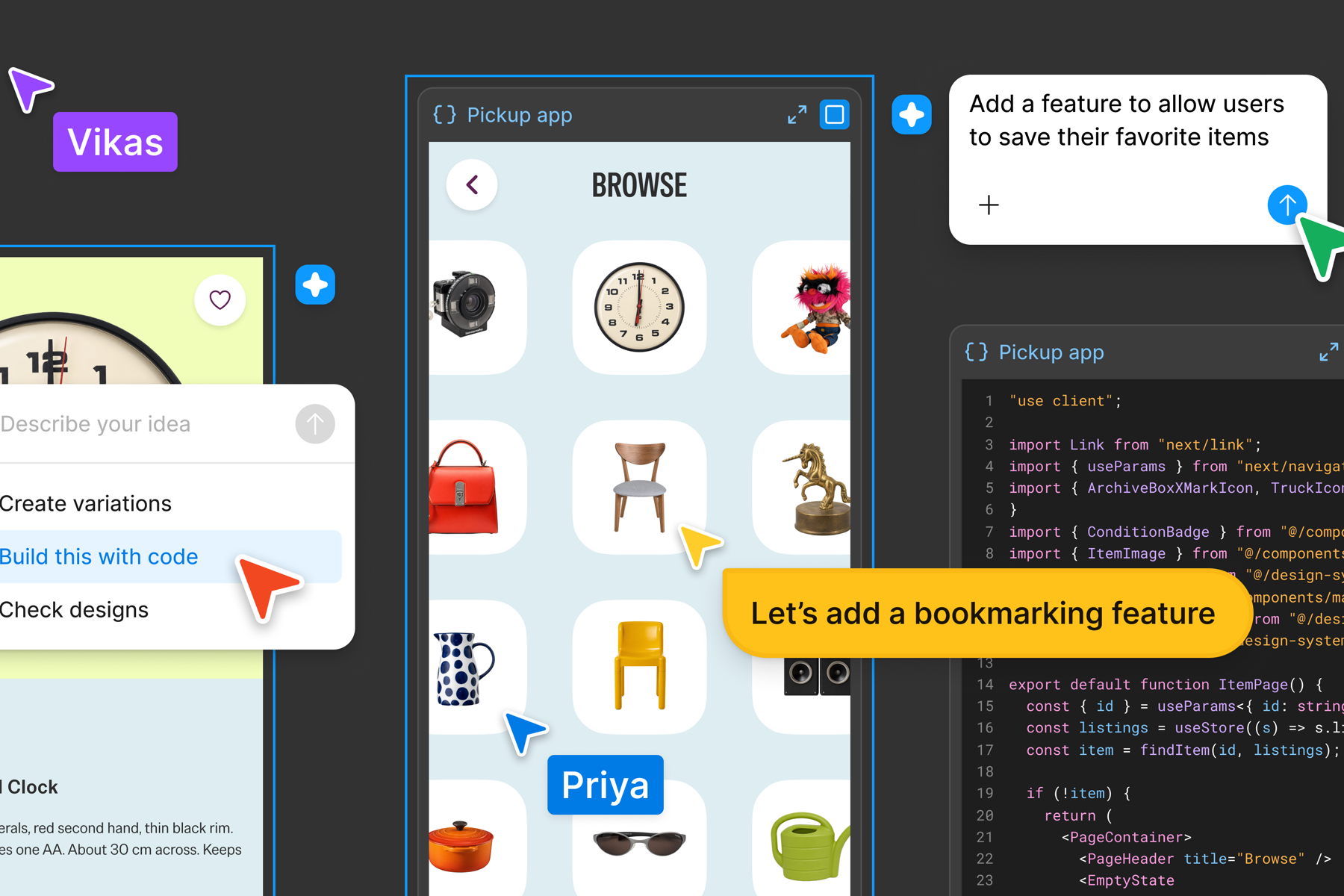

Google is making its Workspace automation tool capable of handling more than a simple trigger followed by a single action. An October update to Workspace Studio adds nested conditions, a way to ignore replies in Gmail triggers, access to more Google Meet calendar data and a step that can find a document in Drive.
The official Google Workspace announcement was published on 9 October, with rollout beginning on 13 October. Google says the features are available to customers and individual subscribers who have access to Workspace Studio, although visibility may take up to 15 days.
This is a fairly small product update with a useful business consequence. A team already working in Gmail, Drive, Calendar and Meet can now build a more complete administrative workflow without immediately moving the process into another automation platform or commissioning custom software. The new capability also makes it easier to build a flow that quietly does the wrong thing at scale.
The right response is to choose one routine with a clear result, define the boundaries and test it against real examples before switching it on for everybody.
What Has Actually Changed
Nested conditions allow a flow to follow more than one level of decision logic. An incoming message could first be checked for its type, then treated differently according to the customer, project or information it contains. Previously, a flatter flow could force people to create several overlapping automations or accept a broad rule that did not reflect how the work was really handled.
The Gmail change lets a trigger ignore follow-up replies and respond only to the primary incoming message. That matters because email threads are a common source of duplicate automation. A flow that treats every reply as a fresh request can create repeated tasks, save the same attachment more than once or draft unnecessary responses.
The Meet output now includes more Calendar event information, including the full invitee list, which can be used when preparing follow-up drafts. The Drive search step allows a flow to find a relevant document dynamically instead of relying on one file chosen when the automation was built.
Together, these additions make it possible to automate a connected piece of work rather than an isolated click. They also increase the number of decisions and data sources inside the flow. That is why design and ownership matter more as the builder becomes easier to use.
A Practical First Workflow
Consider a small professional services team that holds an initial meeting after a new enquiry has been qualified. The coordinator currently opens the calendar event, checks who attended, finds the correct service document in Drive, prepares a follow-up email and creates internal actions from the meeting notes.
Workspace Studio can now support more of that sequence. When meeting outputs are ready, the flow can collect the event data, search Drive for the appropriate document and prepare a follow-up draft. Conditions can route the work according to the meeting type. A discovery call may need a different document and internal task from a project review.
The sensible version stops at a draft. The coordinator checks the recipients, the selected document and the wording before sending. That review is not wasted effort. It is the control that lets the team learn whether the automation is consistently using the right information.
After several weeks of reliable results, some low-risk internal steps may no longer need the same review. A private project note might be saved automatically, while an external email remains a draft. The important point is that review effort should change because the evidence supports it, not because the tool makes another action available.
Keep the Rules Understandable
Nested conditions are useful when they describe stable business rules. They become difficult to manage when each exception creates another branch.
A flow for incoming enquiries might distinguish existing customers from new contacts, then check whether a required reference is present. That is understandable. If it also tries to interpret complaints, contract changes, urgent support, recruitment messages and supplier requests, ownership becomes unclear and testing becomes much harder.
Write the normal route in plain English before building it. Record the trigger, the information required, every decision, each action and the condition that sends work to a person. If the team cannot explain the route without opening the automation builder, the flow is already too dependent on its creator.
Name an owner as well. No-code does not mean no maintenance. Folder structures change, staff leave, document names evolve and business rules are revised. Someone needs to know which workflows are active, what they touch and how to pause them.
Search Needs a Safe Failure
Dynamic document search is convenient, but finding a file is not the same as finding the correct file. A business may have an old proposal template, a draft policy and an approved version with very similar names. Search terms that work in a tidy test folder can produce a different result when used across a busy shared Drive.
Restrict the search to an appropriate folder where possible. Use a clear naming convention and remove obsolete files from the active location. Then decide what should happen when the flow finds no match or several plausible matches. In either case, it should stop and ask a person rather than quietly choosing one.
The same principle applies to recipient lists from Calendar. A meeting invite can include an assistant, an internal note taker, an old address or somebody who did not attend. Automatically inserting everybody into an external follow-up creates an avoidable confidentiality and customer experience risk. Prepare the draft, but keep recipient review visible.
Google's Workspace Studio guidance notes that some steps can require approval under an administrator's security policies and that third-party integrations may share account data. Those controls should be treated as part of the workflow design, not as settings to clear away for convenience.
Test the Unhappy Paths
A successful test with one clean example proves very little. Use recent real cases and include the awkward ones: a reply in a long thread, a meeting with an external guest, a missing document, two documents with similar names and an enquiry that does not fit any expected category.
Check what the flow creates, who can see it and whether a retry creates duplicates. Keep a simple run log during the pilot. It should be possible to answer which input started the workflow, which route it followed, what it changed and where it stopped.
Measure an operational result rather than the number of automations built. Useful measures could include the time from meeting to reviewed follow-up, duplicate tasks, incorrect documents selected and the percentage of runs that need manual correction. A flow that runs frequently but creates clean-up work has not improved the process.
The Opportunity Is Closer to the Work
This release puts more automation capability inside tools many teams already use. That can shorten the distance between spotting repetitive administration and testing a better way to handle it. A coordinator who understands the process can help shape the first version without translating every rule into a development brief.
It does not remove the need for process design, access controls or judgement. Start with a routine that has a clear owner and a reversible outcome. Keep external communication as a draft, make ambiguous searches stop safely and review the evidence before expanding the flow.
If the process grows beyond rules the team can explain and test, that is useful information too. It may need a more controlled integration or bespoke system. The best first result from no-code automation is not a large collection of flows. It is one dependable workflow that gives time back without creating a new source of uncertainty.